
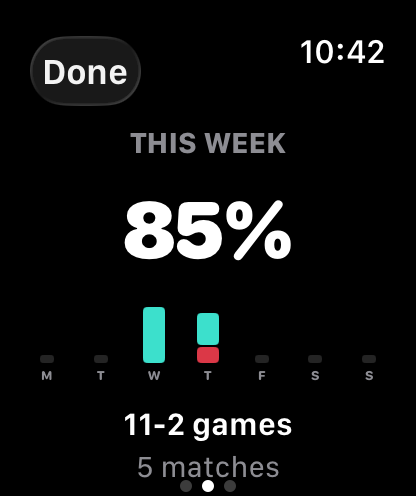
Track your week
Monitor activity, matches and consistency throughout the week.
Keep every point from your Apple Watch, correct mistakes instantly and track your form. One simple purchase — no subscription, account, ads or tracking.
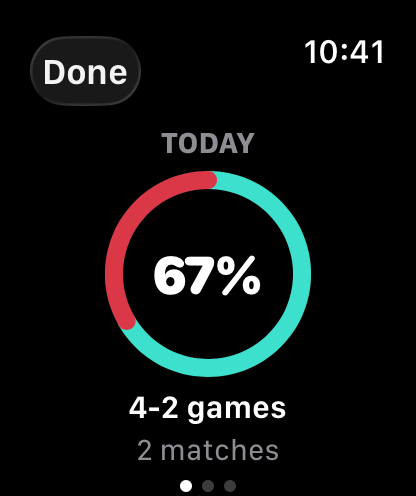
Score. Track. Win.
No phone, no fuss. Golden Point runs entirely on Apple Watch — glance down, tap, and keep playing.
Monitor activity, matches and consistency throughout the week.
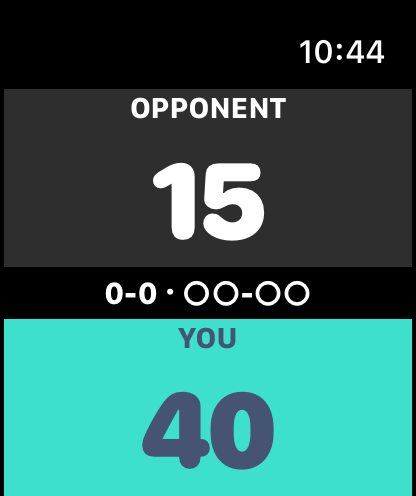
Keep score during every game without breaking concentration.
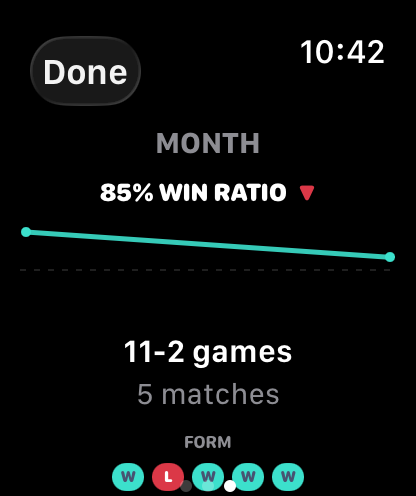
Track your rolling win ratio and monitor improvements over time.
Built for padel
Simple score updates straight from your wrist. Tap your side, keep playing.
Browse every previous match with result, final score and duration.
A 7-day picture of games won, matches played and consistency.
A rolling win-ratio line so you can see your form heading in the right direction.
Best of 1 or 3, short sets, pro set, golden point — set the rules to match your game.
Designed for watchOS from the first tap. No phone required to play, score or review.
How it works
Open Golden Point and tap to start. We pick sensible defaults you can change in Settings.
Tap your side of the screen to score. Undo with the Digital Crown if a point goes the wrong way.
See trends, win ratios and match history the moment the last point is played.
FAQ
Open the match menu — long-press the middle band or swipe left on the scoring screen — and choose End session, then Save or Discard. Saved early-ended matches infer the leading side from sets, then games, then the current game.
Open the match menu and tap Undo (it shows how many points are available), or just rotate the Digital Crown with a quick flick to undo and redo without opening the menu.
No. Golden Point is a standalone Apple Watch app — scoring, match history and stats all run entirely on your wrist, with no companion phone app required.
Best of 1, Best of 3, short sets (to 4), pro set (to 9) and set-plus-match-breaker — with golden point, star point or traditional advantage deuce, and 7- or 10-point tiebreaks. Set it all in Settings.
Turn on the Workout toggle in Settings and allow Health access when prompted. Each match is then saved as an indoor "Padel" workout in Apple Health. Decline access and everything else still works — you just won't get the workout.
Swipe left on any match in History to remove just that one, or use Reset Stats in Settings to clear your entire history at once (your current match and settings are kept).
Open History from Home or the match menu. Each row shows the result, day, final score and duration — tap any row for the full match summary.
A sudden-death deuce common in padel: at 40–40 the very next point wins the game. You can switch to star point (sudden death only after deuce returns twice) or traditional advantage in Settings.
Made for padel. Built for competitors.
Track scores, monitor performance and stay focused on your game. Whether it's a friendly match or your next tournament, Golden Point helps you stay sharp and play more.
 Scan to download